CaseFlow Nota
Documentation

A quick tour of the app.

Four short sections walk through the main screens of CaseFlow Nota , from your first empty workspace to researching a case, previewing citations in the graph, and annotating an imported PDF alongside your note.

Step 01

The workspace

When you open CaseFlow Nota you land on a three pane workspace: notes on the left, the editor in the middle, and the Research Panel on the right.

From here you can start a new note with + New, import a PDF or DOCX from the bottom left panel, or jump straight into research by searching an EUR-Lex or ECLI identifier on the right.

  • Notes — your list of drafts, always visible on the left.
  • Research Panel — case details , citation graphs , Document Text and more, open by default.
  • Uploaded documents — attach PDFs and Word files to the current workspace.
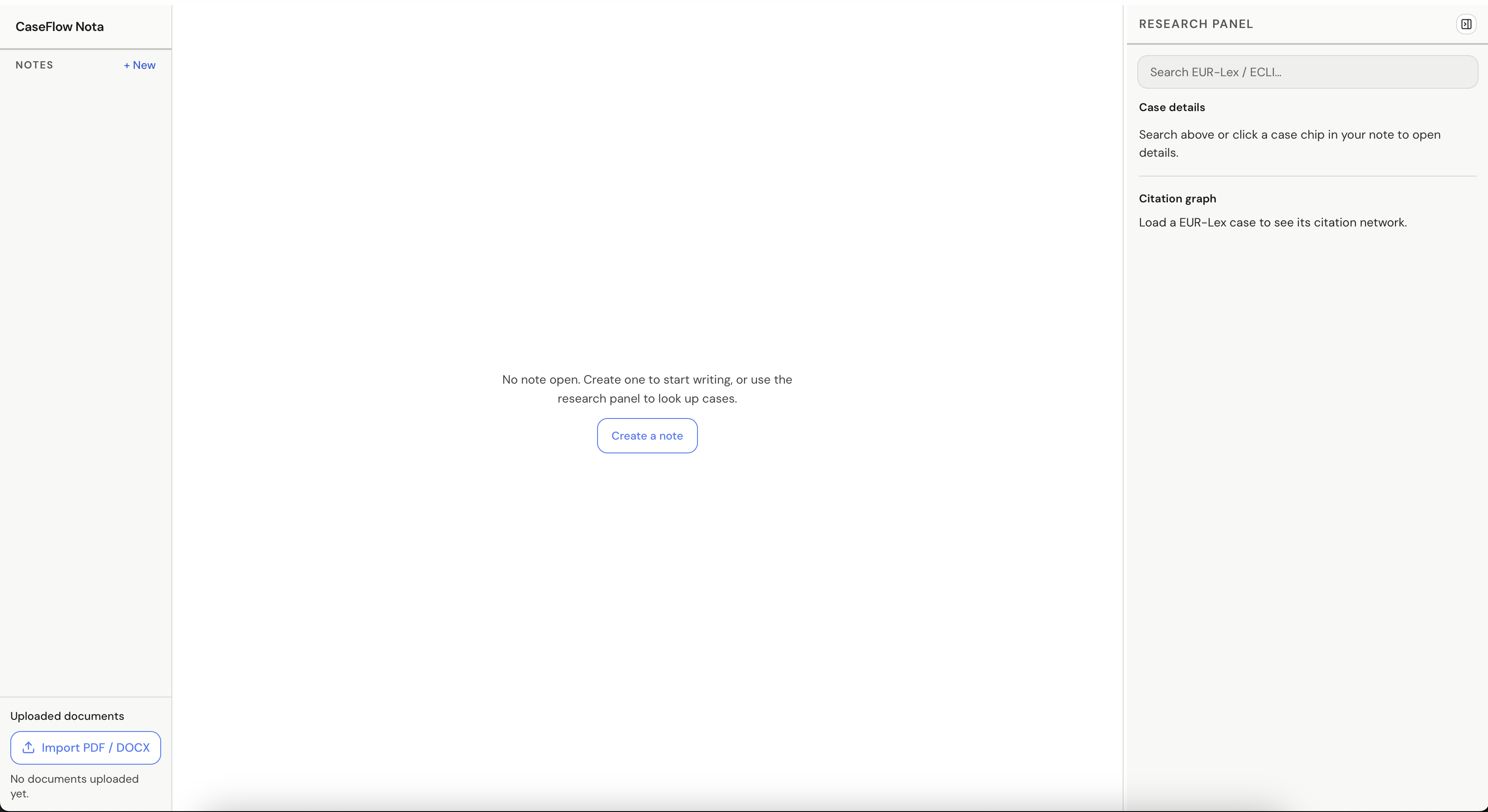
CaseFlow Nota empty workspace with notes list, editor, and research panel
Step 02

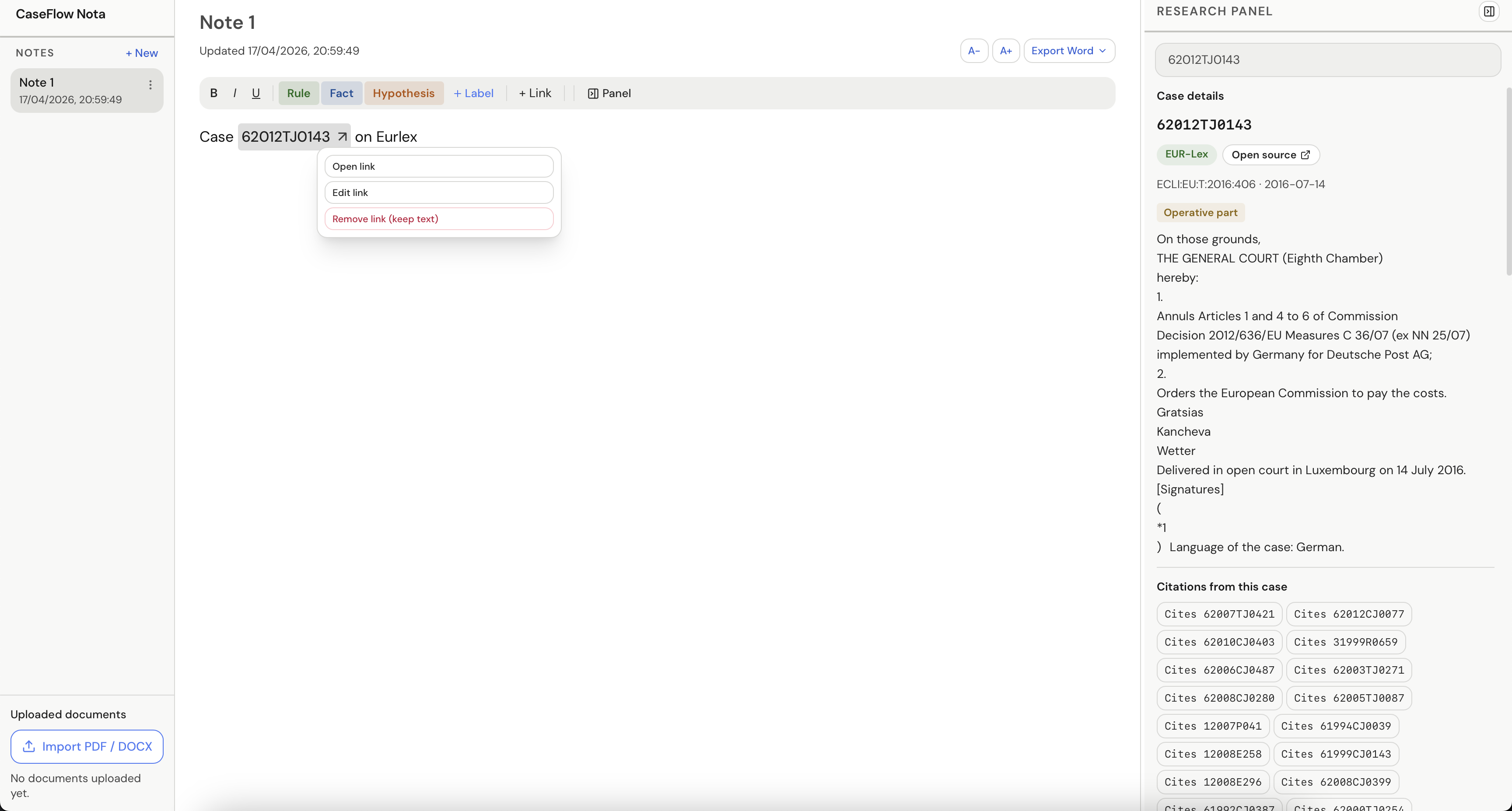
Writing a note and linking a case

Create a note and start writing. Case references (like 62012TJ0143) become clickable chips linked to EUR-Lex . Use the chip menu to open the source, edit the link, or remove it while keeping the text.

The toolbar above the editor gives you formatting basics plus labels meant for legal argument: Rule, Fact, Hypothesis, and your own custom labels. Export the finished note to Word when you're ready to share.

  • Inline chips link directly to the case on EUR-Lex.
  • Color coded labels mark rules, facts, and hypotheses as you write.
  • Export Word hands off cleanly when the note leaves the app.
Note editor with a linked case chip and the link menu open
Step 03

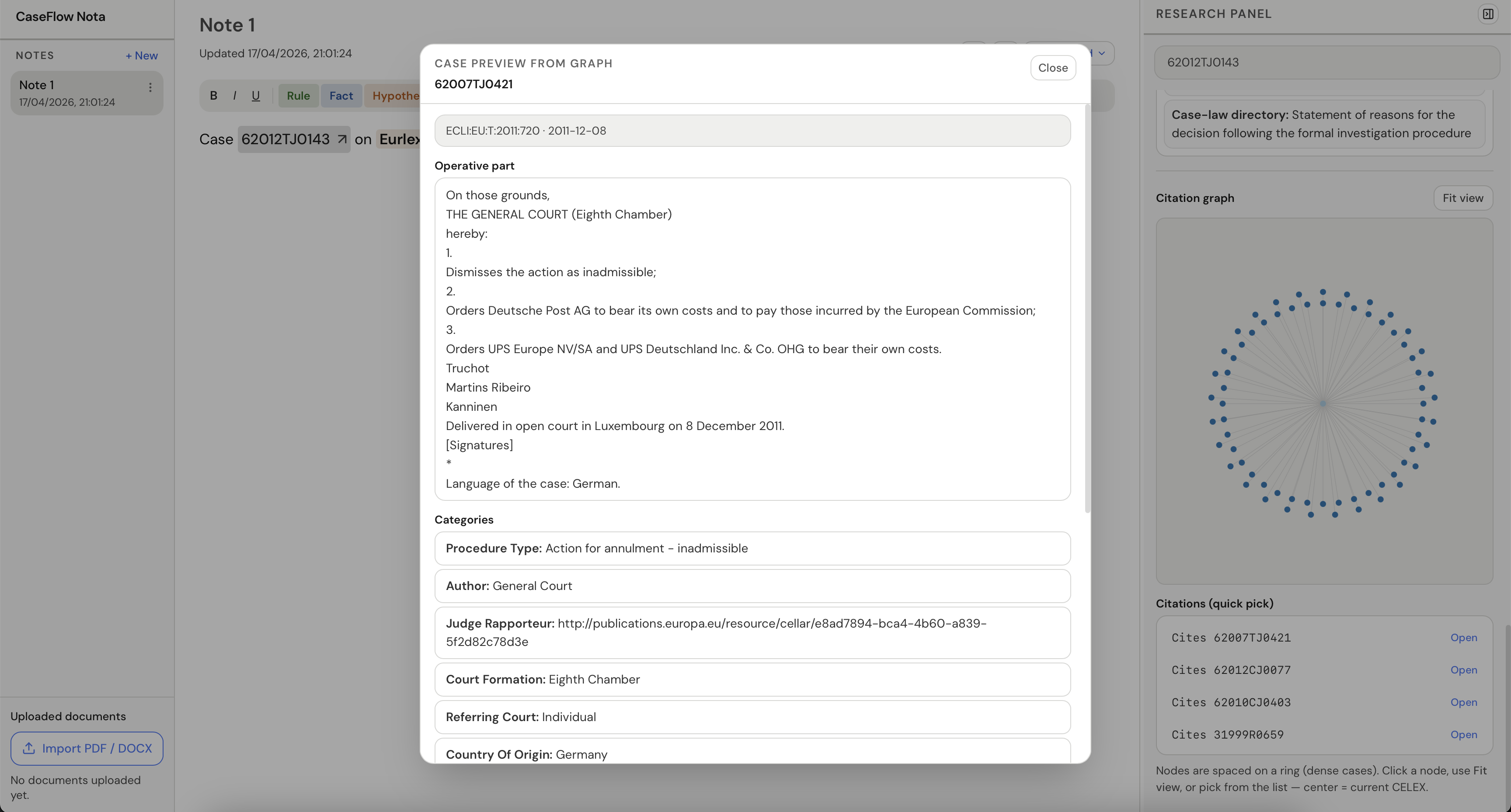
Case preview and citation graph

Clicking a case opens a preview with the operative part, ECLI, procedure type, court formation, and other metadata without leaving your note.

On the right, the citation graph shows the current case at the center and everything it cites arranged around it. Pick any cited case from the quick-list to load it, or use Fit view to re- center when you've drifted through a dense network.

  • Full case preview with operative part and categories.
  • Interactive ring graph where the center node is the current case.
  • Citations (quick pick) opens any cited case in one click.
Case preview dialog with operative part and citation graph on the right
Step 04

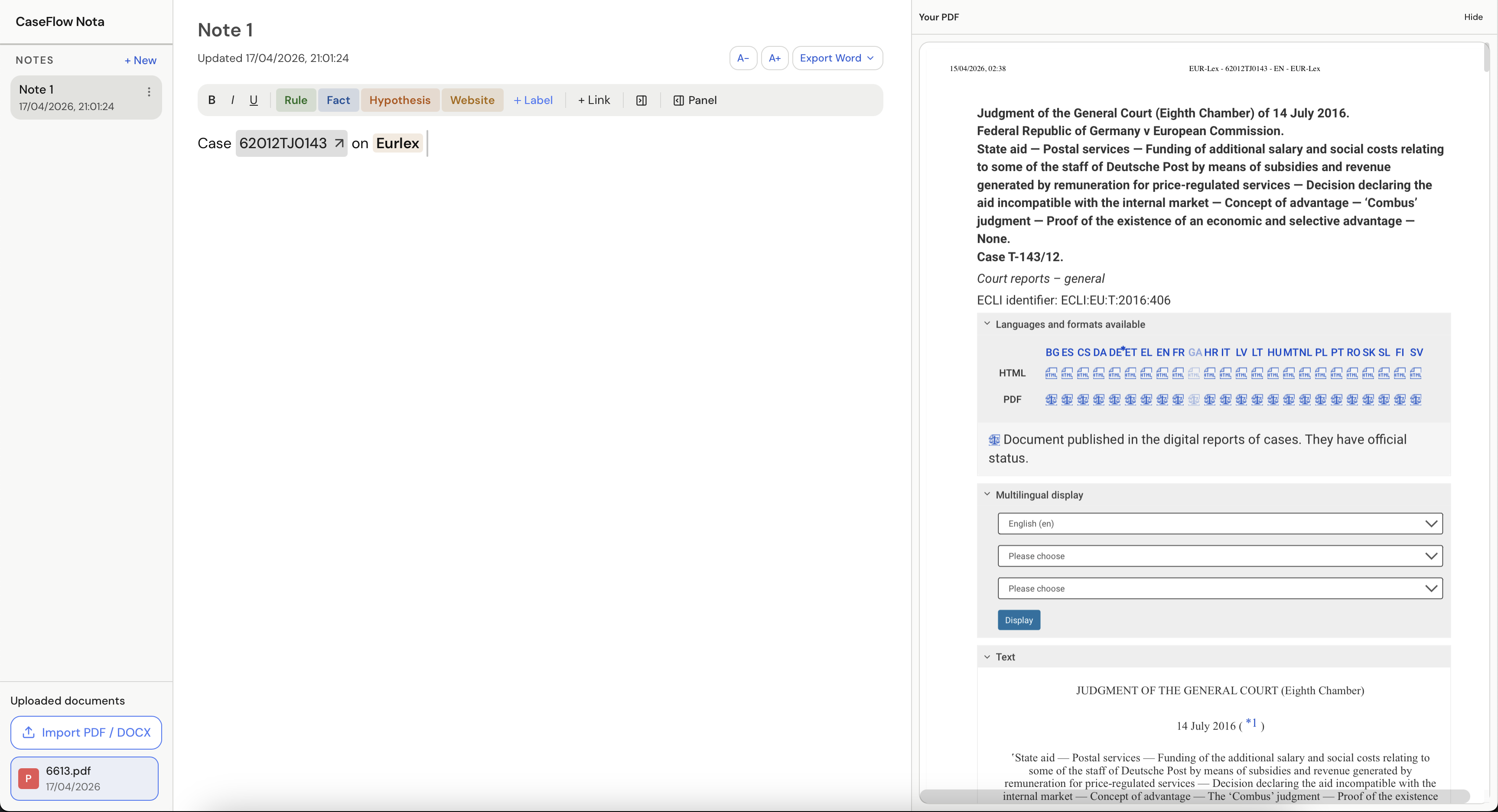
Importing a PDF for side-by-side review

Use Import PDF / DOCX in the bottom left to bring a judgment or document into your workspace. It opens in a side panel next to your note so you can read and annotate without switching windows.

Imported documents stay listed under Uploaded documents for the session. Combined with case chips and labels, this gives you one place to draft, cite, and cross-reference as you write.

  • PDFs and Word documents open beside the editor, not over it.
  • Uploaded files persist in the sidebar for easy re-opening.
  • Hide collapses the PDF panel when you need more room to write.
Note editor with an imported PDF shown side by side